Educational software guide · Checked 10 August 2026
Students and teachers regularly work with PDF textbooks, lecture notes, past papers, application forms and assignments. Foxit can make those documents easier to read, annotate, search and organise—but not every Foxit feature is completely free.
The free Foxit PDF Reader covers many everyday study tasks, including viewing, highlighting, commenting and filling forms. More advanced functions such as editing existing text, converting files, running OCR and reorganising pages are generally part of the paid Foxit PDF Editor.
Download Foxit PDF Reader Compare Reader features
Foxit PDF Reader vs PDF Editor: what is free?
This is the most important distinction to understand before downloading Foxit. The availability of some tools may also vary by operating system or product edition.
| Task | Usual availability | Useful for |
|---|---|---|
| Open, read, print and search PDFs | Free Reader | Textbooks, notes and past papers |
| Highlight, underline and add comments | Free Reader | Revision and assignment feedback |
| Fill PDF forms | Free Reader | Applications and registrations |
| Add or verify signatures | Free Reader; some eSign workflows cost extra | Forms and document verification |
| AI summaries and translation | Limited usage or paid allowance | Understanding long documents |
| Edit existing text and images | Paid Editor or official trial | Correcting and updating documents |
| Convert PDF to Word, Excel or PowerPoint | Paid Editor or official online tool | Reusing authorised content |
| Merge, split or reorder pages | Paid Editor or official online tool | Organising study materials |
| OCR for scanned documents | Paid Editor | Making scanned pages searchable |
| Add passwords and editing restrictions | Paid Editor | Protecting sensitive documents |
10 useful Foxit PDF features for students and teachers
1. Highlight important sections while revising
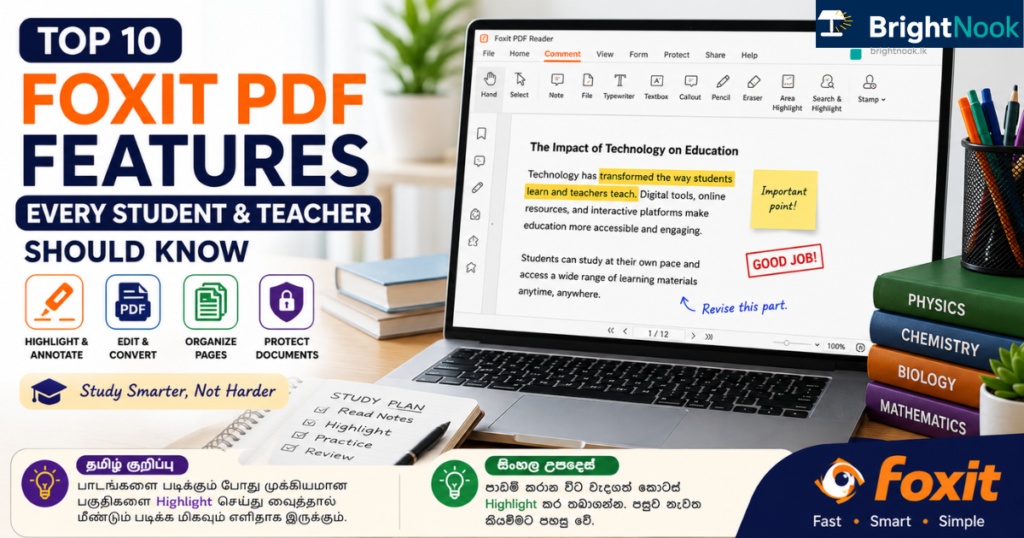
Free ReaderFoxit PDF Reader lets you highlight, underline and strike through text. This is useful when reviewing definitions, formulas, important dates or key points in lecture notes.
Instead of reading an entire chapter again before an examination, you can return to the sections you previously marked.
2. Add notes and comments directly to a PDF
Free ReaderYou can attach sticky notes, comments and drawing mark-ups to a page. A student can add a lecturer’s explanation beside a slide, while a teacher can leave feedback on an assignment without printing it.
Your comments remain connected to the relevant page, making them easier to understand later than notes stored in a separate file.
3. Search long textbooks and lecture notes
Free ReaderThe search function can locate words or phrases throughout a text-based PDF. This is helpful when finding a particular formula, scientific term, definition or topic inside a large textbook.
Search may not work properly when a document contains only scanned page images. Such documents normally need OCR before their text becomes searchable.
4. Complete PDF application forms digitally
Free ReaderFoxit PDF Reader supports standard PDF form filling. Where an official form has interactive fields, you can type information directly into those fields and save a completed copy.
This can be useful for course registrations, scholarship forms and internship applications. However, some official forms must still be printed or signed by hand. Always follow the instructions issued by the receiving institution.
5. Add and verify PDF signatures
Free Reader / paid eSign optionsFoxit Reader provides tools for placing a signature on a PDF and verifying supported digital signatures. Foxit also offers separate eSign services for more advanced signing workflows.
Adding a signature to a file does not automatically make it acceptable for every application. Confirm whether the university, employer or government institution accepts electronic signatures before submitting the document.
6. Summarise, explain or translate text with AI
Limited allowance / paid optionsFoxit AI Assistant can help summarise a document, explain selected text, translate content and answer questions about supported PDFs. This may help when reviewing a long report or trying to understand a difficult passage.
AI features can require an internet connection, a Foxit account and available usage credits. AI-generated explanations may also contain mistakes, so important academic or official information should be checked against the original document.
7. Edit existing text and images
Paid EditorFoxit PDF Editor can modify existing text, images and page content. Teachers may find this helpful when updating their own worksheets, while students may use it to correct documents they created themselves.
Editing a PDF does not give permission to alter or republish copyrighted books, official certificates, examination papers or another person’s work.
8. Convert PDFs to editable formats
Paid EditorThe Editor can convert PDFs to formats such as Word, Excel and PowerPoint. This is useful when you need to update your own lesson material, reuse a table or prepare an accessible version of authorised content.
Conversion is not always perfect. Complex layouts, equations, unusual fonts and scanned pages may require manual correction after conversion.
9. Merge, split and reorganise PDF pages
Paid EditorFoxit PDF Editor can combine several PDFs, separate a large document and reorder, rotate or remove pages.
A student could combine authorised lecture notes into one subject file. A teacher could separate a question paper from its marking guide before sharing the paper with students.
10. Make scanned documents searchable with OCR
Paid EditorOptical Character Recognition, commonly called OCR, detects text inside scanned pages or photographs. After OCR processing, you may be able to search, select or copy recognised text.
Results depend on scan quality, language, page alignment and print clarity. Always compare important names, numbers and quotations against the original page.
Two practical ways to use Foxit for studying
Create an examination revision copy
- Keep the original authorised PDF unchanged as a backup.
- Save another copy for revision.
- Highlight formulas, definitions and important dates.
- Add short comments beside difficult sections.
- Use search to return to a topic quickly.
Complete a PDF application carefully
- Read the official application instructions before editing the form.
- Save a separate working copy.
- Enter information only in the intended fields.
- Check names, NIC numbers, contact details and dates carefully.
- Add an electronic signature only when the receiving institution allows it.
- Open the saved file again and confirm that every entry is visible before submitting it.
How to download Foxit safely
- Open Foxit’s official PDF Reader page using the button below.
- Select the version intended for your operating system or device.
- Confirm that the download page uses the official foxit.com domain.
- Install the software and review its settings before opening sensitive documents.
- Keep the application updated to receive current security and stability fixes.
Official Foxit PDF Reader download
The free Reader is the sensible starting point for most students. Use Foxit’s official website instead of third-party software download pages, unofficial repacks or modified installers.
Advantages and limitations
Useful advantages
- Free Reader for common study tasks
- Good annotation and commenting tools
- Form filling and signature support
- Desktop and mobile options
- Advanced editing available when needed
Important limitations
- Many editing tools require payment
- AI usage can be limited
- OCR accuracy varies
- Conversions may change formatting
- Some features vary by platform
Which Foxit version should you choose?
Choose the free Reader for reading, highlighting, comments and form filling. Check the Editor plans only if you need text editing, file conversion, OCR or page organisation regularly.
Frequently asked questions
Is Foxit PDF Reader completely free?
Foxit describes PDF Reader as its completely free product. Advanced editing, conversion, OCR, eSign and AI services may have separate limits, trials or paid plans.
Can students highlight and add notes without paying?
Yes. Highlighting, underlining, comments and other common annotation tools are available in Foxit PDF Reader.
Can the free Reader convert a PDF to Word?
Full document conversion is generally an Editor feature. Foxit also provides official online tools, but availability and limits should be checked before uploading a document.
Does Foxit work on a mobile phone?
Foxit provides mobile applications for iOS and Android. Available features can differ from the Windows, macOS and web editions.
Can I sign an official application using Foxit?
You can add supported signatures, but acceptance depends on the institution receiving the application. Follow the official application instructions.
Can Foxit AI summarise my textbook?
Foxit AI Assistant can summarise and answer questions about supported documents. Usage may require sign-in, internet access and available credits. Verify important information against the original textbook.
For more study materials and educational tools, visit the BrightNook Downloads section.